batch YouTube uploader for Mac
Batch YouTube Uploader for Mac
Batch uploads are easiest when file selection, channel choice, upload metadata, and progress tracking stay in one Mac workflow.
Best for
Creators, editors, and channel operators who publish several finished videos from the same Mac.
Search intent
Find a native Mac app that can queue more than one YouTube upload without re-entering metadata each time.
Publishing problems this solves
- Uploading files one at a time makes long editing days slower than they need to be.
- Repeated titles, descriptions, tags, privacy settings, and kids-safety choices create avoidable publishing mistakes.
- Large videos need clear progress and a Mac that stays awake while an active upload runs.
Mac workflow
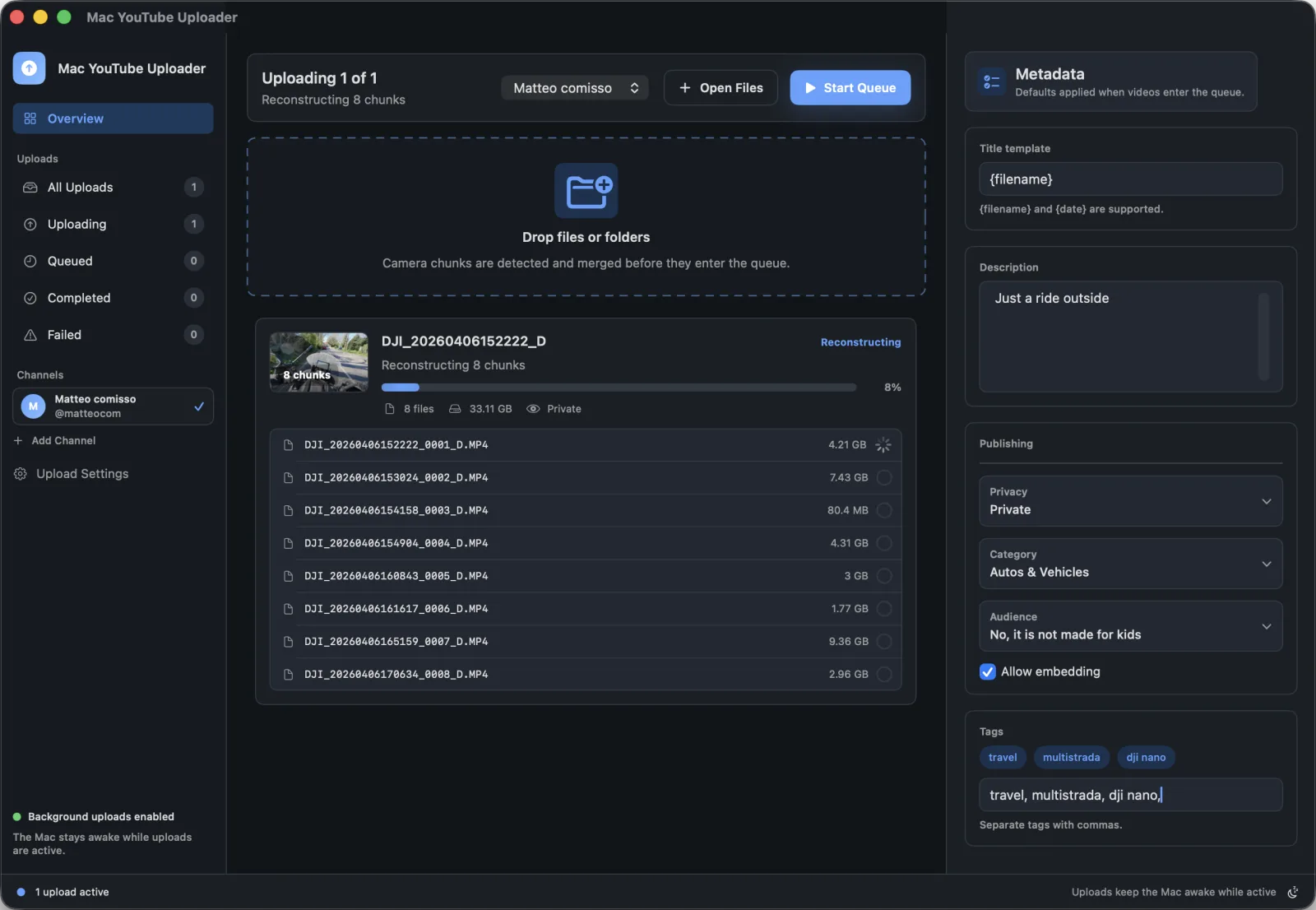
- Drop finished videos or folders into the queue from Finder.
- Confirm the selected YouTube channel before the queue starts.
- Apply saved defaults for privacy, category, title pattern, description, tags, and audience settings.
- Let the app process uploads in the background while progress remains visible.
How Mac YouTube Uploader supports this workflow
- Drag-and-drop file and folder intake
- Reusable upload metadata defaults
- Per-queue YouTube channel selection
- Background activity handling during active uploads
Questions
Can Mac YouTube Uploader queue multiple videos?
Yes. The app is built around a queue so you can add multiple videos or folders and review the upload settings before publishing.
Does each video need unique metadata?
Reusable defaults help with consistency, but each upload should still be reviewed so the title, description, and tags match the actual video.