YouTube metadata defaults Mac
YouTube Metadata Defaults on Mac
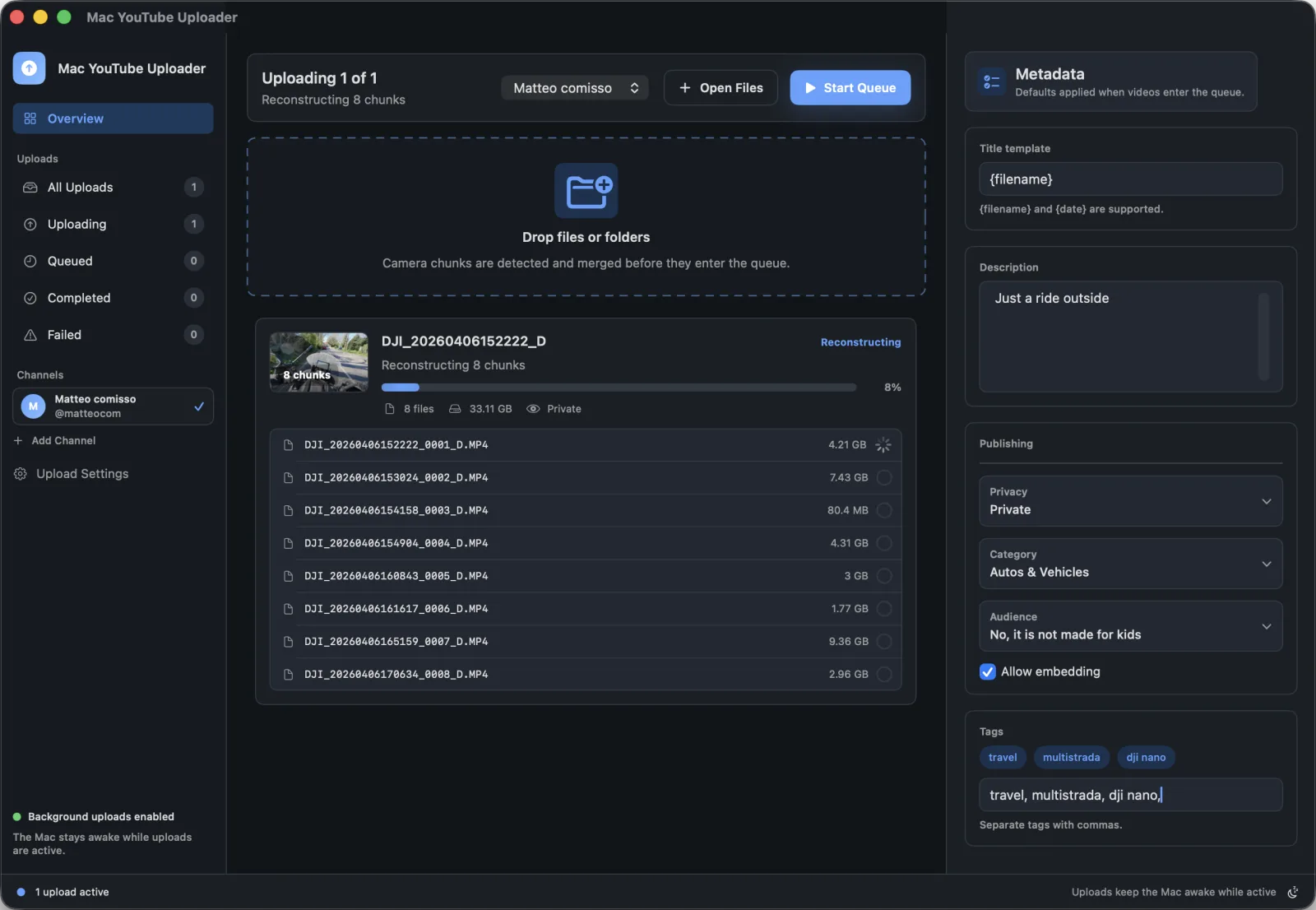
Consistent publishing starts before the upload button. Mac YouTube Uploader keeps common metadata defaults local to your Mac so every queue starts from the same baseline.
Best for
Creators who want consistent YouTube metadata without filling in the same fields for every upload.
Search intent
Find a Mac workflow for saving reusable YouTube upload settings and reducing repeated metadata entry.
Publishing problems this solves
- Repeated metadata entry makes it easy to miss links, credits, or compliance settings.
- Different videos may need unique titles, but most channels reuse a standard publishing structure.
- Privacy, category, tags, and kids-safety settings should be deliberate on every upload.
Mac workflow
- Set privacy, category, title template, description, tags, and audience defaults.
- Drop videos or folders into the upload queue.
- Review each queued item and adjust fields that need video-specific copy.
- Publish with the selected channel and saved settings.
How Mac YouTube Uploader supports this workflow
- Local defaults in macOS app preferences
- Title templates for filename and date-based workflows
- Reusable descriptions and tags
- Privacy, category, and kids-safety defaults
Questions
Where are metadata defaults stored?
Metadata defaults and app preferences are stored locally on your Mac.
Can defaults replace per-video review?
No. Defaults reduce repeated entry, but every upload should still be checked before publishing.