resumable YouTube uploader Mac
Resumable YouTube Uploader for Mac
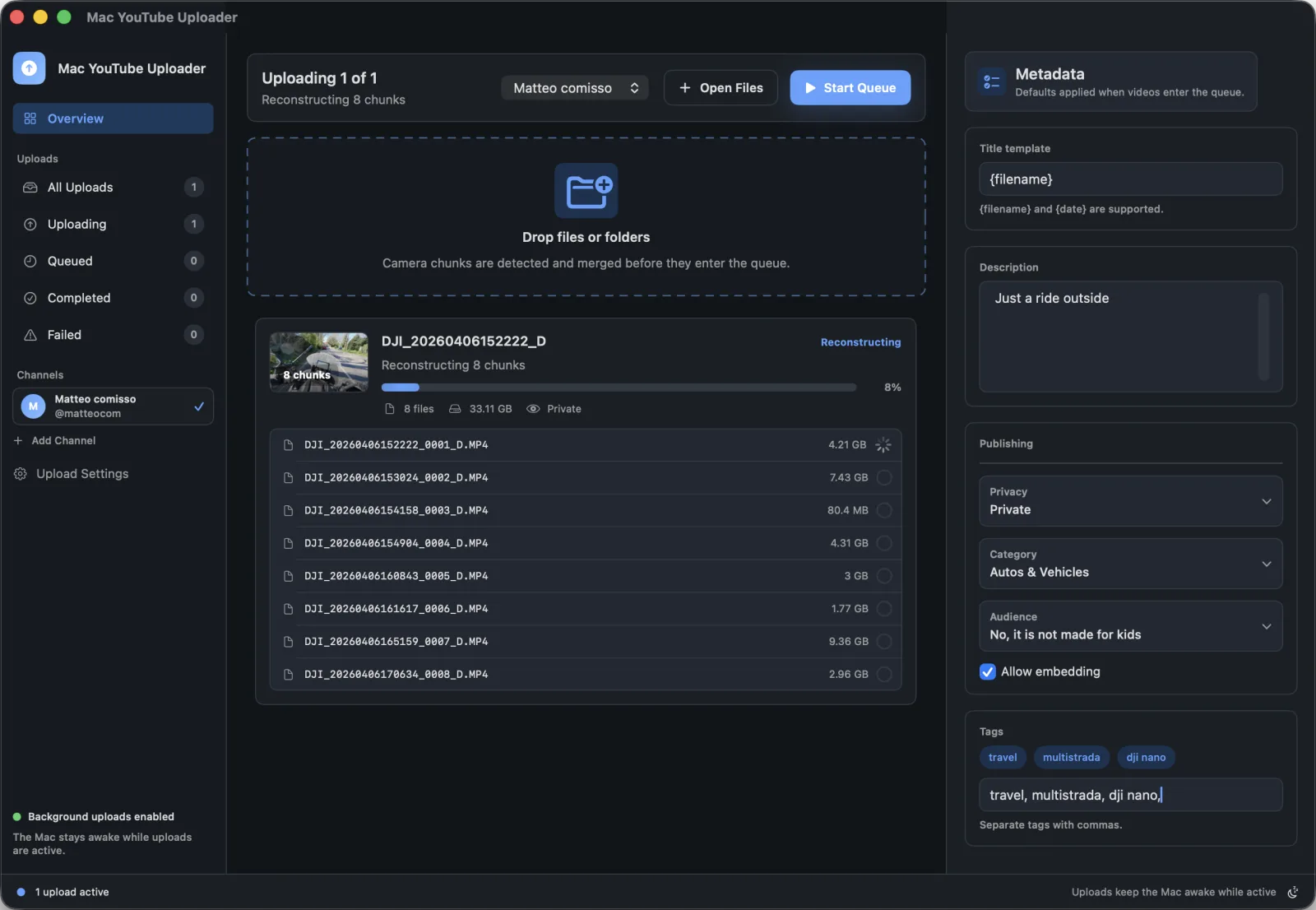
Large videos need more than a browser tab. Mac YouTube Uploader keeps upload state visible and helps the Mac stay ready while active work is in progress.
Best for
Creators publishing large files who need upload progress and a Mac-focused workflow.
Search intent
Find a Mac YouTube uploader that is designed for large uploads and less babysitting.
Publishing problems this solves
- Long uploads can be interrupted by sleep, browser restarts, or losing track of progress.
- Large files need a queue view that makes the current upload state clear.
- Creators often need to prepare the next upload while a large file is still processing.
Mac workflow
- Connect Google and choose the YouTube channel for the upload queue.
- Add the large video file or folder from Finder.
- Review metadata defaults and start the upload.
- Monitor queue progress while the app manages active background work.
How Mac YouTube Uploader supports this workflow
- Visible per-upload progress
- Background activity handling while uploads are active
- YouTube upload sessions through YouTube API Services
- Queue-first workflow for multiple files
Questions
Does the app keep the Mac awake during uploads?
The app includes background activity handling for active uploads so long-running work is less likely to be interrupted by normal idle behavior.
Is upload success still dependent on YouTube and network conditions?
Yes. Upload behavior can still depend on your Mac, network connection, YouTube API availability, quota, account status, and selected files.