upload split camera recordings to YouTube
Upload Split Camera Recordings to YouTube
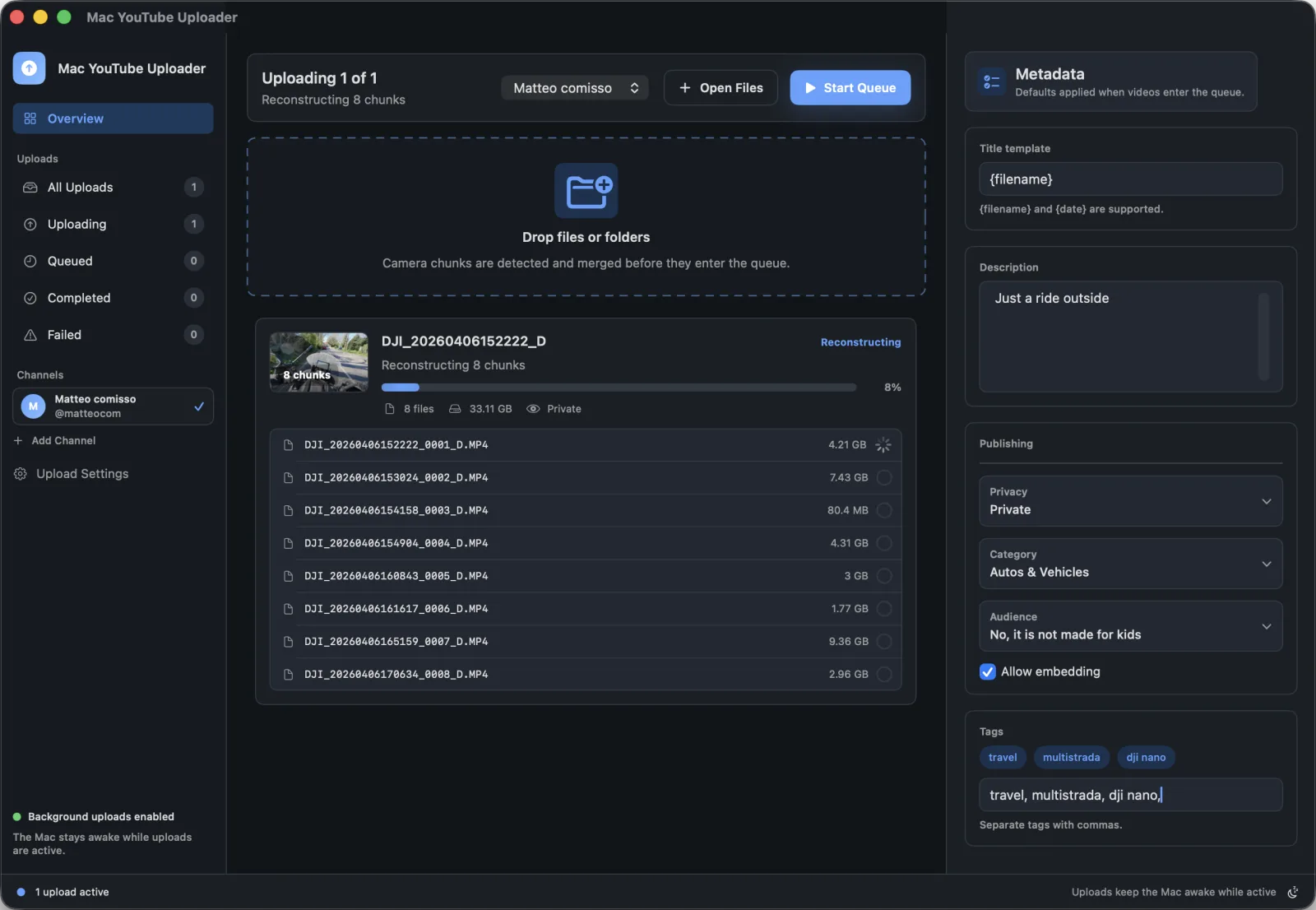
Long recordings often leave the camera as sequential files. Mac YouTube Uploader helps detect supported chunks, rebuild the finished video locally, then send the result to YouTube.
Best for
Video creators working with long camera recordings that are saved as sequential chunks.
Search intent
Find a way to upload long recordings after camera chunk files have been reconstructed into the finished video.
Publishing problems this solves
- Sequential camera files can be easy to upload in the wrong order.
- Manually assembling chunks adds another export step before publishing.
- The upload queue needs to show the finished item, not a pile of partial recordings.
Mac workflow
- Drop a folder that contains supported sequential camera chunks.
- Let the app detect filename patterns and capture timing that belong together.
- Review the reconstructed video as the upload item.
- Apply channel and metadata defaults before starting the YouTube upload.
How Mac YouTube Uploader supports this workflow
- Folder intake for camera media
- Supported split-recording reconstruction
- Temporary local assembly before upload processing
- Upload metadata review after reconstruction
Questions
Does the app upload every camera chunk separately?
No. For supported split recordings, the app assembles the sequence locally so the upload represents the finished video.
Are temporary reconstructed files kept forever?
Temporary assembly files are created in the macOS temporary directory and the app attempts to remove them after upload processing.