YouTube uploader for video editors on Mac
YouTube Uploader for Video Editors on Mac
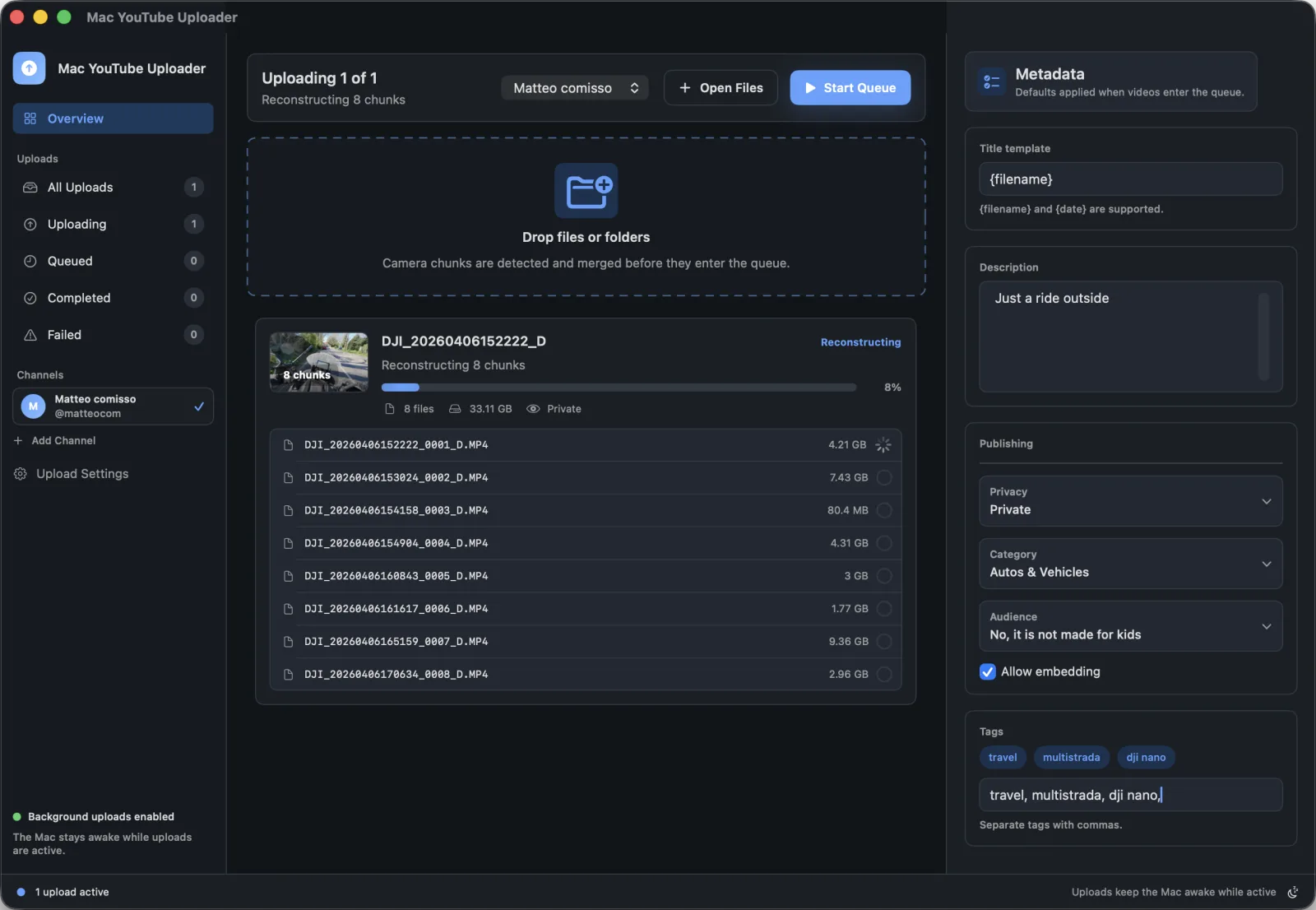
After export, the upload step should be predictable. Mac YouTube Uploader keeps Finder intake, channel selection, metadata, and upload progress close to the editing workflow.
Best for
Editors and solo creators who finish videos on macOS and publish directly to YouTube.
Search intent
Find a publishing workflow that fits a Mac editing desk after export is complete.
Publishing problems this solves
- Finished exports often sit in Finder while publishing details are handled somewhere else.
- Editors need to confirm the right channel and metadata before sending a client or channel upload.
- A publishing queue is easier to scan than scattered browser uploads.
Mac workflow
- Export the finished video from your editor to a local folder.
- Drop the export or project folder into Mac YouTube Uploader.
- Select the target channel and review saved metadata defaults.
- Start the upload and keep progress visible while preparing the next file.
How Mac YouTube Uploader supports this workflow
- Native macOS file selection
- Drag-and-drop from Finder
- Selected-channel upload flow
- Reusable upload settings for repeated publishing work
Questions
Can editors use this for different YouTube channels?
The app lets you connect Google, choose an available YouTube channel, and use that selected channel for uploads.
Does the app replace YouTube Studio?
No. It focuses on Mac-side upload preparation and publishing. YouTube Studio remains the place for channel analytics and post-publish management.